Scan Images with an External Scanner
Run a vulnerability scanner on every push and keep its report next to the image as an OCI referrer.
Prerequisites
- Angos running
- A scanner host the registry can reach over HTTP, with the
angosbinary and Trivy or Grype installed
How It Works
- A push of an image manifest into a repository with
scan = trueenqueues a scan job, keyed on the image digest so repeated pushes coalesce. - The job's handler, in
angos workeror in the server's own job loops, asks the scanner service for a report. angos scanner, on the scanner host, pulls the image under its own identity, runs the scanner you named, and answers with the SARIF report.- The handler pushes the report back as a referrer of the image, an OCI artifact manifest whose
subjectis the image, through the registry's own write path. It lists under/v2/<name>/referrers/<digest>, replicates with the image, shows in the web UI, and is checked at admission by tools such as Kyverno or the sigstore policy-controller.
The job is durable: a failed scan retries with backoff and dead-letters, a job in flight when a worker dies is re-claimed, and the _angos/jobs admin API lists, retries and deletes scan jobs like any other. The registry runs no scanner itself. A report, an attestation or an index is never a scan subject, and a re-run of a job whose report already exists is a no-op.
Step 1: Give the Scanner an Identity
The scanner pulls images to analyse them, so it needs read access. On the registry:
[auth.identity.scanner]
username = "scanner"
password = "$argon2id$v=19$m=19456,t=2,p=1$..."   # from `angos argon`

[repository."apps".access_policy]
default = "deny"
rules = [
  "identity.id == 'scanner' && request.action in ['get-manifest', 'get-blob']",
  # ...your usual rules...
]
The report is pushed by the registry's job handler, not by the scanner, so the identity needs no push rights.
Step 2: Enable Scanning on the Registry
[global.scan]
url = "http://scanner.internal:8766"
token = "scan-service-secret"

[repository."apps"]
scan = true
Each scan = true repository sends its image pushes to the service at url. A pull-through cache repository may carry the flag too: each image manifest a cache miss stores is scanned once, and the report is local metadata that retention reclaims with the cached image. On a busy general-purpose mirror that is one scan per upstream digest pulled, so weigh the scanner time before enabling it there.
Step 3: Run the Scanner Service
On the scanner host, write the service's configuration. angos scanner reads the [scanner] section alone, so nothing else from the registry's configuration is needed:
[scanner]
port = 8766                        # the port Step 2's URL names
token = "scan-service-secret"      # the same token as in Step 2

[scanner.registry]
url = "https://registry.example.com"
username = "scanner"
password = "..."                   # the scanner identity's password
Then, with grype or trivy on PATH:
RUST_LOG=info angos -c scanner.toml scanner grype
At info it logs one line per image scanned. See the configuration reference for the other options.
The registry image also comes with a scanner built in, under the -grype and -trivy tag suffixes, so the same service runs as a container:
docker run -d -p 8766:8766 -v "$PWD/scanner.toml:/scanner.toml" \
  ghcr.io/project-angos/angos:latest-grype -c /scanner.toml scanner grype
The scanner keeps its database under /cache; mount a volume there to keep it across restarts.
Step 4: Drain the Scan Queue
With [global.job_queue] configured, scan jobs are durable and a worker drains them:
angos -c config.toml worker --queue scan
A plain angos worker drains the scan queue as well whenever [global.scan] is set. Without [global.job_queue], the server drains its own in-process queue and no worker is needed. max_concurrent_scan_jobs (default 2) bounds the scans in flight per process.
Step 5: Push and Verify
Push an image into a scanning repository:
docker push registry.example.com/apps/web:1.0
The job appears under GET /v2/_angos/jobs/list?queue=scan, and under the scan queue of the web UI's Jobs page, until the report lands. The report then lists as a referrer:
oras discover registry.example.com/apps/web:1.0
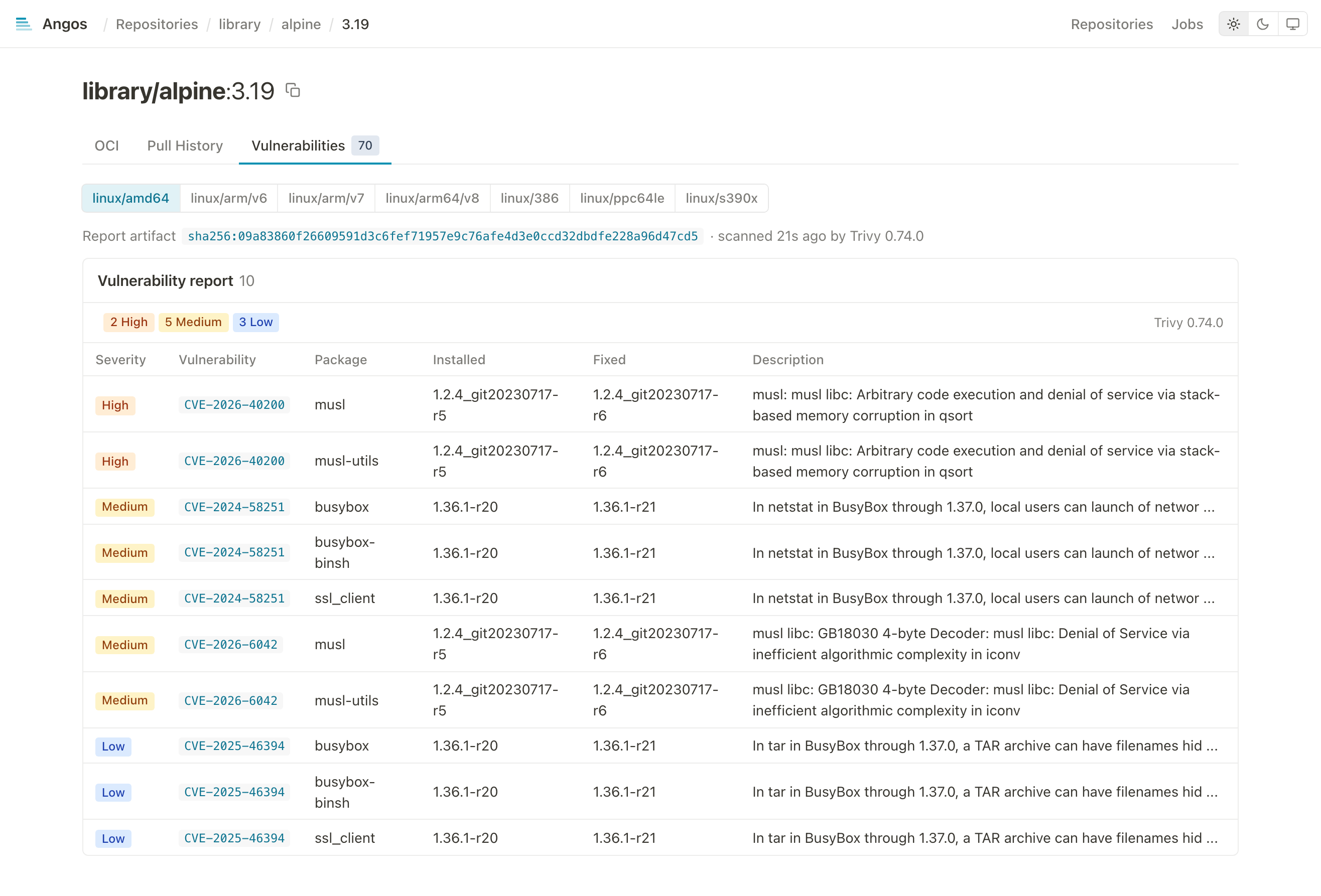
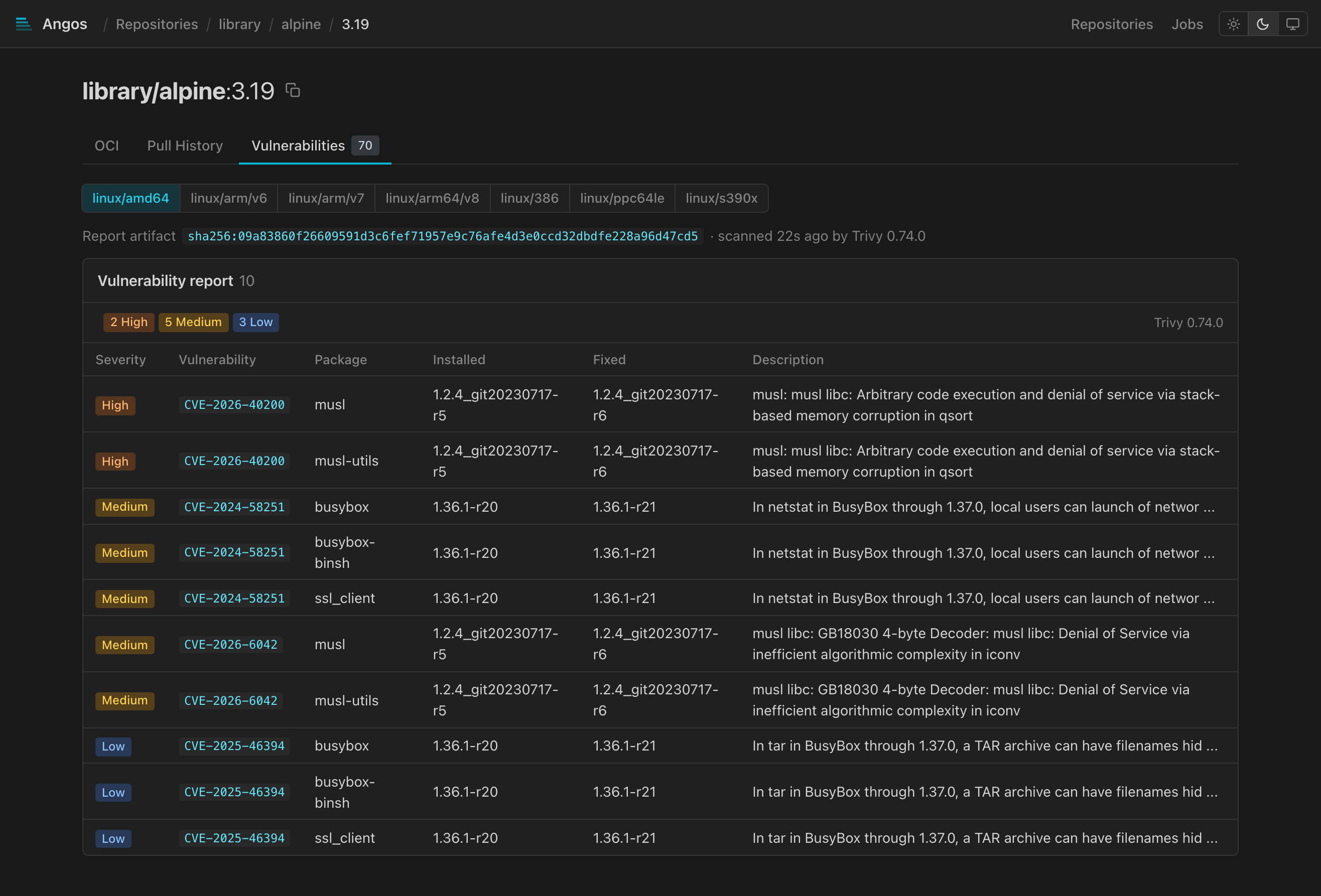
The web UI shows it on the manifest's Vulnerabilities tab, whichever scanner wrote it, listing every finding with its package, fixed version and advisory link, and badges the report in the tree with the severity counts.
Step 6: Scan What Was Already There
Enabling scan = true covers pushes from then on. Give the images already in the repository a report with:
angos -c config.toml reconcile scan
It enqueues one job per image manifest without a report; --dry-run lists them, and --force scans every image again, which is how a scanner database update reaches images scanned before it. The server or a worker drains the jobs as usual.
Notes
- The scanner's database. The service pulls Grype's database when it starts, refusing to start without one, and refreshes it once a day; a scan never updates it. Trivy refreshes its own during scans. Keep the scanner itself current: an old release is tied to a retired database feed and never finds a newer one.
- Trivy scans one image at a time. It locks its cache directory, so the service ignores
max_concurrent_scansfor Trivy; run several services on several hosts to scan in parallel. Grype scans concurrently. - The scanner service is stateless.
POST /scanwith{"namespace": ..., "digest": ...}answers the SARIF report; the service holds only its pull identity and can be scaled or replaced independently of the registry. - The report is a plain OCI artifact. An empty config, one SARIF layer,
artifactType: application/sarif+json, and the image assubject. Nothing is written under cosign's fallback tags, so nothing counts againsttop_pushedandtop_pulledrankings. - A scan is bounded by
timeout_secs(default 600) on the registry side; a scanner that overruns fails the job, which retries.
Retention
A report follows its image: angos prune skips it while the image resolves and reclaims it with the image. Attaching a report never keeps an image alive. See Configure Retention Policies.
Enforcement
Angos does not block a pull on a scan result. Enforce at admission, where the same referrers are read: Kyverno verifyImages and the sigstore policy-controller check an attestation by predicate type, for example https://cosign.sigstore.dev/attestation/vuln/v1 for a report attached with cosign attest --type vuln.
Reference
- CLI Reference - The
scannersubcommand and the worker'sscanqueue - Configuration Reference - The
[global.scan],scanand[scanner]options - API Endpoints Reference - The jobs admin API
- Web UI Reference - Attestation badges